Showing posts with label LA App. Show all posts
Showing posts with label LA App. Show all posts
Saturday, March 25, 2017
Mr. Mott's App Reviews / Recommendations
I often get requests from parents asked what apps are good for their child and on what device. Click here for an ongoing list of apps I find useful for students in Kindergarten. I list what devices they can be used on and how much they may cost. Please feel free to share with me other apps you already use that you think is great!

Friday, March 24, 2017
Little Writer App

App Name: Little Writer
Cost: $0.99
Description: This has students practice writing letters, numbers, shapes, and words. I like how its customizable, so you can add your own pictures and words.
Skills: Letter Writing (upper and lower), Letter ID / Sound ID, and Word Building. Also used for Number Writing, Number Recognition, and Shapes.
Subjects: Language Arts, Math
Stars (x/5): 5
Sunday, December 27, 2015
Using Raz-Kids
Before the break, the students were introduced to Raz-Kids. I sent home information on how to log in before the Holiday Break. We will be using this tool as a way for students to access more books at their reading level in school and at home. Raz-Kids can be accessed through a computer, phone, or tablet (Click here to download the app). Here's directions on how to use Raz-Kids...
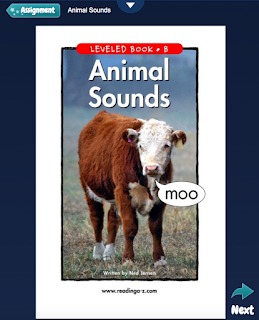
Click here if you would like to learn more about Raz-Kids.
- Go to www.raz-kids.com. (There is a link from our Student Links page.)
- Put in our class name (see log-in information). You will only need to put in our login information the first time you access the site through a new device.
- Have your child find their name and put in their password.
- They are set to go!
Here's some helpful information about what you'll see...



When you click on Reading Assignments or Book Room, your child will see a list of books with these options. (Quizzes are not available on AA Books)...

- Listening - the story will play for students with text being highlighted as it is read. Students earn stars for each story they listen to. The points can be redeemed to personalize their avatar or build a rocket ship.


- Reading - students may read the text at their own pace. Students earn stars for each story they read.

- Recording - When in the Reading window, click on the down arrow.
- Click the microphone.
- It will ask your permission to access the microphone.
- Then, it will ask you to say your name to test the microphone.
- Then, it will begin recording. Use the buttons to stop recording, play, new (redo), or send (to me).
 |
| Click on the microphone to record. |
 |
| Choose record, stop, play, new (redo), or send. |
- Students earn stars for each story they record. I can also reward extra stars after I listen to the recording.
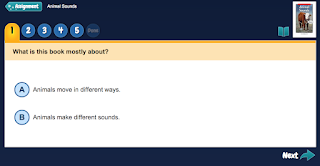
- Quizzes - After listening or reading a story, students may take a comprehension quiz. They click on letters to answer the question and on the words to have the choices read to them. Students can earn stars for each quiz they complete.

Click here if you would like to learn more about Raz-Kids.
Friday, October 30, 2015
i Write Words App ($, Free)

This app I think is only available on Apple devices. The lite version is free and is what I use in the classroom sometimes for Centers or giving certain students extra practice. The paid version is $2.99. Students help Mr Crab collect numbers to write letters, write numbers, or spell words. The app comes from www.gigglelab.com. Click here for its' iTunes description.
Here's a screen shot of what the app looks like:

Letter School App ($)

Here's a screen shot of what the app can look like...

Subscribe to:
Posts (Atom)